 Vexel Playground
Vexel Playground
Vexel Playground
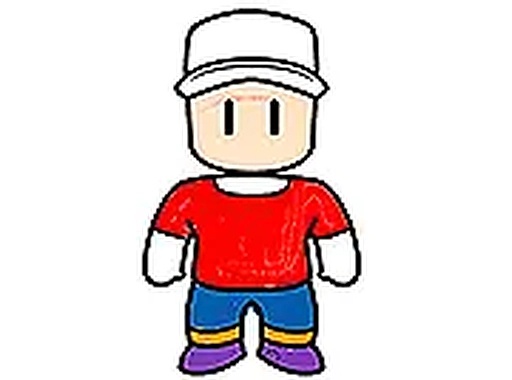
Stumble Guys Coloring Book is a straightforward and enjoyable coloring game. The 18 pictures offer good variety, and the 15 colors with adjustable brush sizes give enough control for neat results. It is very easy to pick up and play, making it great for short breaks or longer creative sessions. The ability to save your work adds value. While there is no undo, starting over is quick. It is a clean, family-friendly activity that encourages creativity without any pressure.
Stumble Guys Coloring Book Online Coloring Game invites players to enjoy a relaxing digital coloring experience. The game features outlines inspired by the popular Stumble Guys universe, allowing fans to bring familiar scenes and characters to life with color. It is designed as a calm, creative activity that runs directly in a web browser without any downloads. The core objective is simply to choose a picture, select colors, and fill in the outlines to create a personalized artwork. This game stands out as a peaceful break from fast-paced gaming, focusing on creativity and relaxation rather than competition or speed.
To play, start by selecting one of the available pictures from the collection. Players typically use a mouse or finger to choose a color from a palette displayed on the screen, then pick a stroke size to control the thickness of the coloring tool. By clicking or tapping on the areas of the picture, you apply the chosen color. You can switch colors and adjust the stroke size at any time to add fine details or fill larger sections. There is no undo feature, but you can always begin a new picture. When finished, use the save option to download your completed artwork to your device. The controls are intuitive and suitable for all ages.
The game offers a variety of unique outlines to color, each featuring scenes and characters from the Stumble Guys universe. It provides a selection of vibrant marker colors to choose from, along with adjustable stroke sizes that allow for both precise detailing and broad coloring. The game works seamlessly on both mobile phones and desktop computers, requiring no downloads or installations. A save feature lets you download your finished artwork to your device for sharing or keepsake. The interface is simple and user-friendly, making it accessible to players of all skill levels.
To get the most out of this coloring experience, start with larger areas first using a bigger stroke size, then switch to a smaller size for intricate details. Experiment with different color combinations to make your artwork unique. Take your time and enjoy the process—there is no time limit or score to worry about. If you make a mistake, simply start a new picture or try a different approach. Regularly saving your progress can help you track your creative journey. Most importantly, use this activity as a way to relax and express your creativity without pressure.
• OS: Windows 10+, macOS 11+, iOS 14+, Android 10+ • Browsers: Chrome 100+, Safari 15+, Edge 100+, Firefox 100+ • Not compatible with Internet Explorer Tested on real devices – works as expected

Clean physics and clear goals. A smart mix of bouncing and math that keeps you thinking.

Simple, relaxing fishing fun. Easy controls and beautiful seas make it perfect for quick breaks.
Clean design and smooth gameplay. Great for short breaks and building logic skills.
Clean design and smooth gameplay. Great for short breaks. The wooden theme is unique and relaxing.
Simple tap-to-save gameplay with cute pets. Perfect for quick, stress-free breaks.
Clever physics matching game with a fun luchador theme. Great for quick, engaging play sessions.
Bright and cheerful match 3 game. Easy to learn and relaxing to play in short sessions.
Simple and addictive. Great for quick breaks. Colorful graphics and clear feedback.