
Reviews
Color Art Studio for Young Creators is a wonderful online activity for young children. It offers a secure environment with no inappropriate content. The two modes, coloring and drawing, provide variety. The glowing colors are a hit with kids. The interface is very intuitive, so even three-year-olds can use it. It works on all devices without downloads, making it perfect for on-the-go fun. A great tool for developing fine motor skills and creativity.
Description
Game Introduction
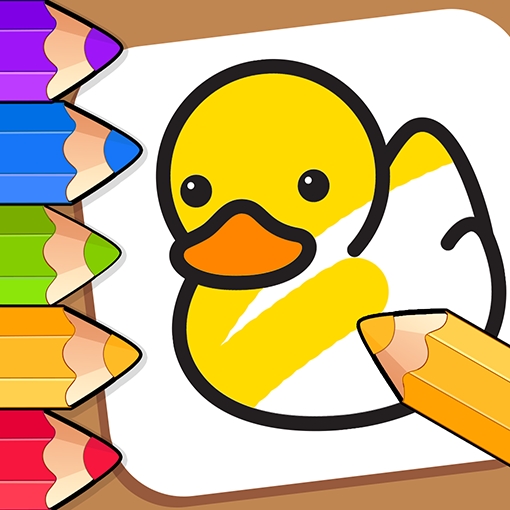
Color Art Studio for Young Creators is an online activity designed for children ages three and older. It provides a secure environment where young users can express themselves through art. The game offers two primary ways to create: filling in ready-made line drawings or producing original artwork from scratch. A palette of standard and glowing colors allows for eye-catching results. The controls are straightforward, making it easy for even the youngest players to navigate. Whether a child wants to add color to a picture of a friendly animal or sketch something entirely new, this game supports their creativity. Released in late 2022 by developer Yiv, it uses HTML5 technology, so it runs smoothly on computers, smartphones, and tablets. There is no need to install any software; simply open a web browser and begin. A full-screen option helps children focus on their creations. The game contains no material that could be considered unsuitable, giving parents and teachers peace of mind.
How to Play
Players start by choosing between two modes: coloring or drawing. In coloring mode, a selection of black-and-white outlines is available. Using a side panel, players pick colors and tools, including an eraser to correct any mistakes. Tapping on the areas they wish to fill adds color. For drawing mode, an icon on the left side of the screen opens a blank canvas. The same color panel offers both standard and glowing shades. All actions are performed with a mouse or touch input, which suits small hands. The game works in any modern web browser and on various devices, making it convenient for use at home or while traveling.
Game Features
Color Art Studio for Young Creators includes several features that appeal to young artists. It offers both coloring and drawing modes, letting children either complete existing pictures or design their own. A range of standard and glowing colors adds a lively quality to artwork. An eraser tool helps fix errors easily. The interface is designed to be clear and simple, suitable for children as young as three. The game runs on HTML5 technology, so it works across computers, tablets, and phones without any downloads. A full-screen option provides an engaging experience. The game is completely safe and family-friendly, with no content that could be considered inappropriate.
Tips for Success
To get the most from Color Art Studio for Young Creators, encourage children to try both coloring and drawing modes to see which they enjoy more. Experimenting with different color combinations, including glowing shades, can make artwork more interesting. Using the eraser tool allows kids to fix mistakes and try again, which builds confidence. For younger players, starting with simpler pictures helps develop fine motor skills. Parents can join in to make it a shared activity, discussing colors and shapes. Regular practice helps children improve their creativity and hand-eye coordination. The game is designed to be stress-free, so the main tip is to have fun and let imagination guide the process.
Comments
Sign in to comment
You must be logged in before posting a review or rating.
No account? Create one
No comments yet. Be the first to comment!