
Reviews
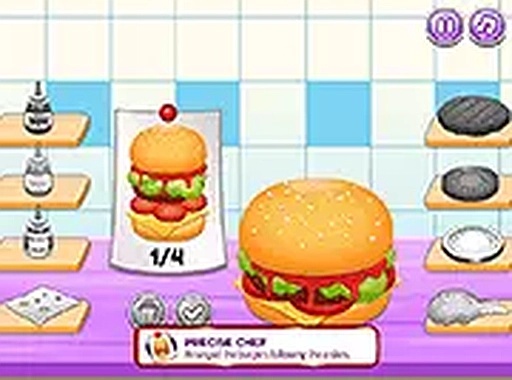
Burger Chef Creative Studio stands out by removing all stress from the cooking process. Players can focus on learning proper food preparation order while experimenting with toppings and side dishes. The clear visual guides and simple controls make it accessible to all ages. The screenshot feature adds a nice way to share creations, and the lack of timers encourages repeated play. It is a well-designed tool for creative expression in the kitchen.
Description
Creative Kitchen Workflow
This cooking simulation focuses on the entire process of building a burger from scratch. Players begin by combining basic pantry items to form dough, which is then shaped and baked into buns. Next, they select meat patties and cook them to their preferred level of doneness. Fresh vegetables like lettuce, tomatoes, and onions are washed and sliced before being arranged on the bun. Each step is guided by clear on-screen prompts, making the sequence easy to follow for beginners. The game emphasizes learning proper food preparation order without any rush or pressure.
Toppings and Customization Options
Once the base burger is assembled, players can choose from a variety of garnishes to personalize each creation. Options may include different cheeses, sauces, pickles, and other condiments that allow for endless combinations. The interface uses simple drag-and-drop controls, so adding or removing items is straightforward. This freedom encourages experimentation, letting players try out unusual ingredient pairings to see how they look together. The visual feedback for each addition is immediate, helping users understand how small changes affect the overall appearance of their burger.
Side Dish Preparation and Presentation
Beyond the main burger, the game includes steps for making classic accompaniments such as french fries, milkshakes, and dipping sauces. Players can prepare these items using similar interactive sequences, learning how to cut potatoes, blend shakes, and mix dips. Once all components are ready, they are arranged on a serving table. The layout can be adjusted to create an attractive display, with options to position items for visual balance. A small decorative flag can be added as a final touch, giving the meal a finished look.
Relaxed Learning Environment
Unlike many cooking games that rely on timers or scoring systems, this experience removes all sources of stress. There are no penalties for mistakes, and players can repeat any step as many times as they like. This design makes it suitable for young children, beginners, or anyone who wants to explore food preparation without anxiety. The lack of pressure also allows for deeper focus on the creative aspects, such as trying new ingredient combinations or perfecting the arrangement of items on the plate.
Sharing and Replay Value
A built-in screenshot tool lets players capture their finished meals and share them with friends or family. This feature adds a social element, as users can compare their creations or challenge each other to try new topping combinations. The game may include multiple burger types, each with its own set of ingredients and preparation steps, giving players reasons to return and experiment further. The simple controls and intuitive design ensure that each session feels fresh and enjoyable, whether it is a first attempt or a fiftieth.






Comments
Sign in to comment
You must be logged in before posting a review or rating.
No account? Create one
No comments yet. Be the first to comment!